

What you need
Admin access to a Meta Business Manager with one or more ad accounts.
What it unlocks
Marketing report, Ad & Campaign Performance, Creative Deep Dive, blended ROAS.
Connect via OAuth
Start the OAuth flow
In Ocular, go to Data Management → Connectors → Add Connector → Facebook Ads, then select Connect with Facebook (OAuth).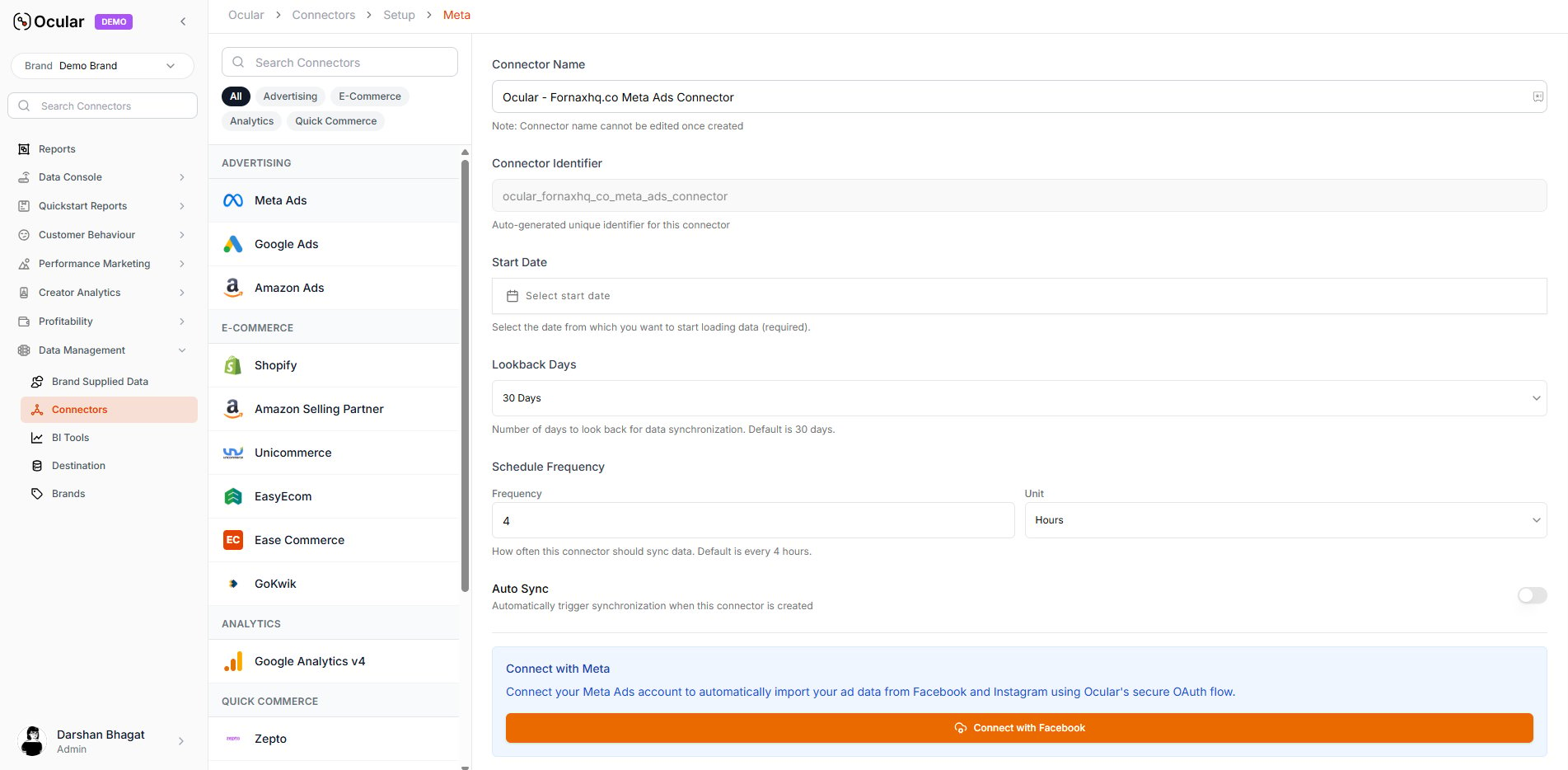
Log in and grant permissions
You’ll be redirected to Facebook’s login page. Sign in and select your Business Manager and Admin ad account(s). Approve the displayed list of permissions requested automatically by Ocular.
Auto-configuration
Ocular automatically fetches all ad accounts linked to the selected Business Manager. Choose the account(s) you want to sync. Tokens are managed by Ocular — no manual refresh needed.
Save and sync
You will be redirected to the connector page where you can see the YOUR META ACCOUNT IS CONNECTED message. Select the account(s) you want to sync and click Create Connector. Data ingestion begins automatically.
Troubleshooting
OAuth flow fails at login
OAuth flow fails at login
Confirm the Facebook account you’re signing in with has Admin access to the Business Manager — view-only or analyst roles can’t authorise the scopes Ocular needs.
Ad account doesn't appear in the dropdown
Ad account doesn't appear in the dropdown
The account must be inside the Business Manager you selected. If it’s a personal ad account or owned by a different BM, move or share it into the right BM, then retry the OAuth.
Spend imports but no creative breakdowns
Spend imports but no creative breakdowns
Creative-level breakdowns require that your ads are set up with consistent UTM parameters and the asset IDs are populated. If
fbclid and the Ocular custom UTM parameters weren’t configured before the campaign launched, retroactive ingestion won’t fill them — fix the tagging and Ocular will pick up new ads from that point forward.For ticket-writing format when filing a connector issue, see Working with the Ocular team → Connector-not-working tickets.