A three-step Ocular setup — create your brand, connect data sources, and watch your first dashboards populate after the initial 24–48 hour historical load.
By the end of this page, your first Ocular dashboards will be live with your real data flowing in. Three steps, ~20 minutes of configuration, plus a 24–48 hour data load.
20 min
Configuration time
24–48 hrs
Initial data load
3 steps
Brand → Sources → Verify
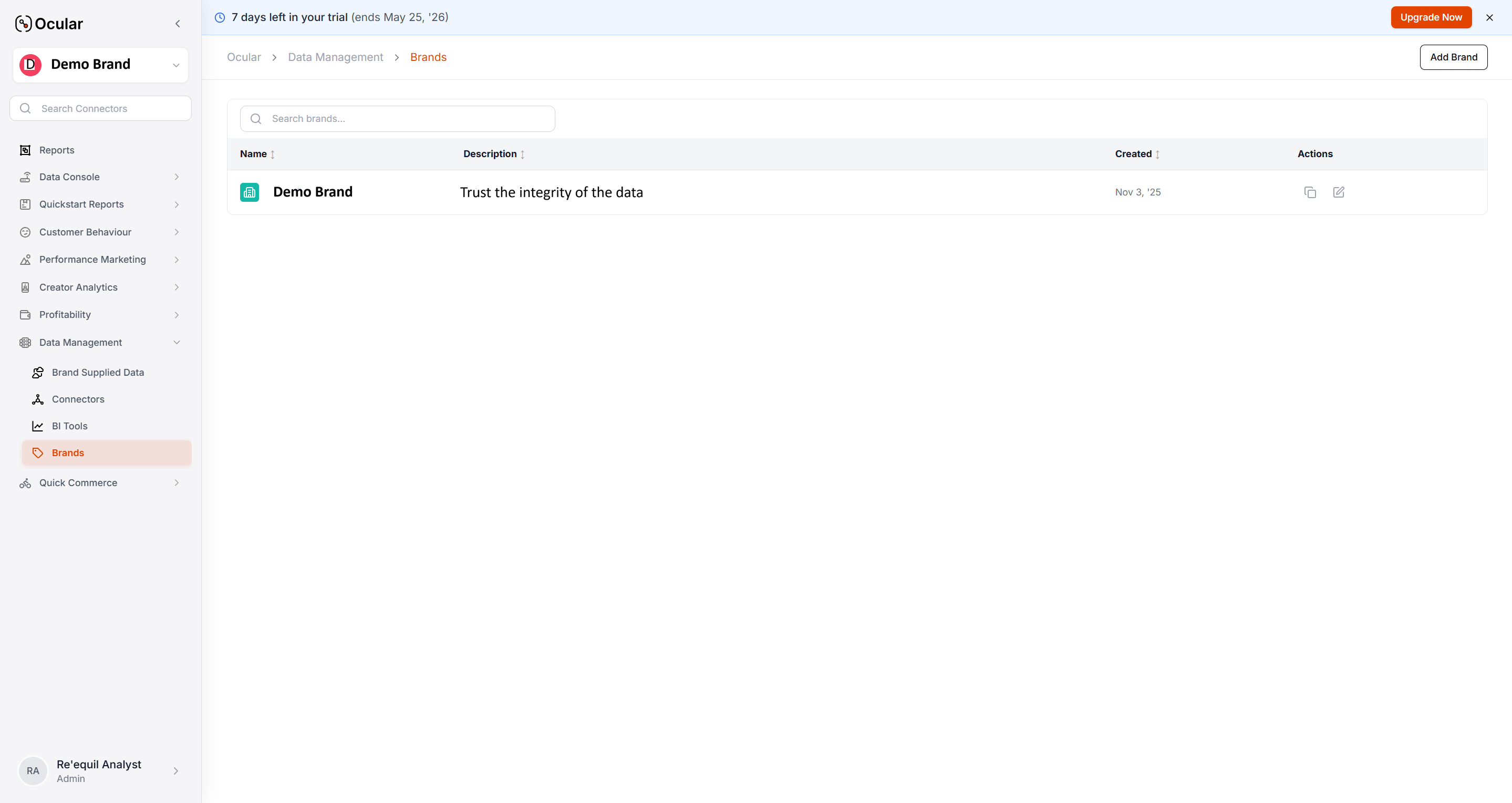
Settings → Brands — replace with a real screenshot
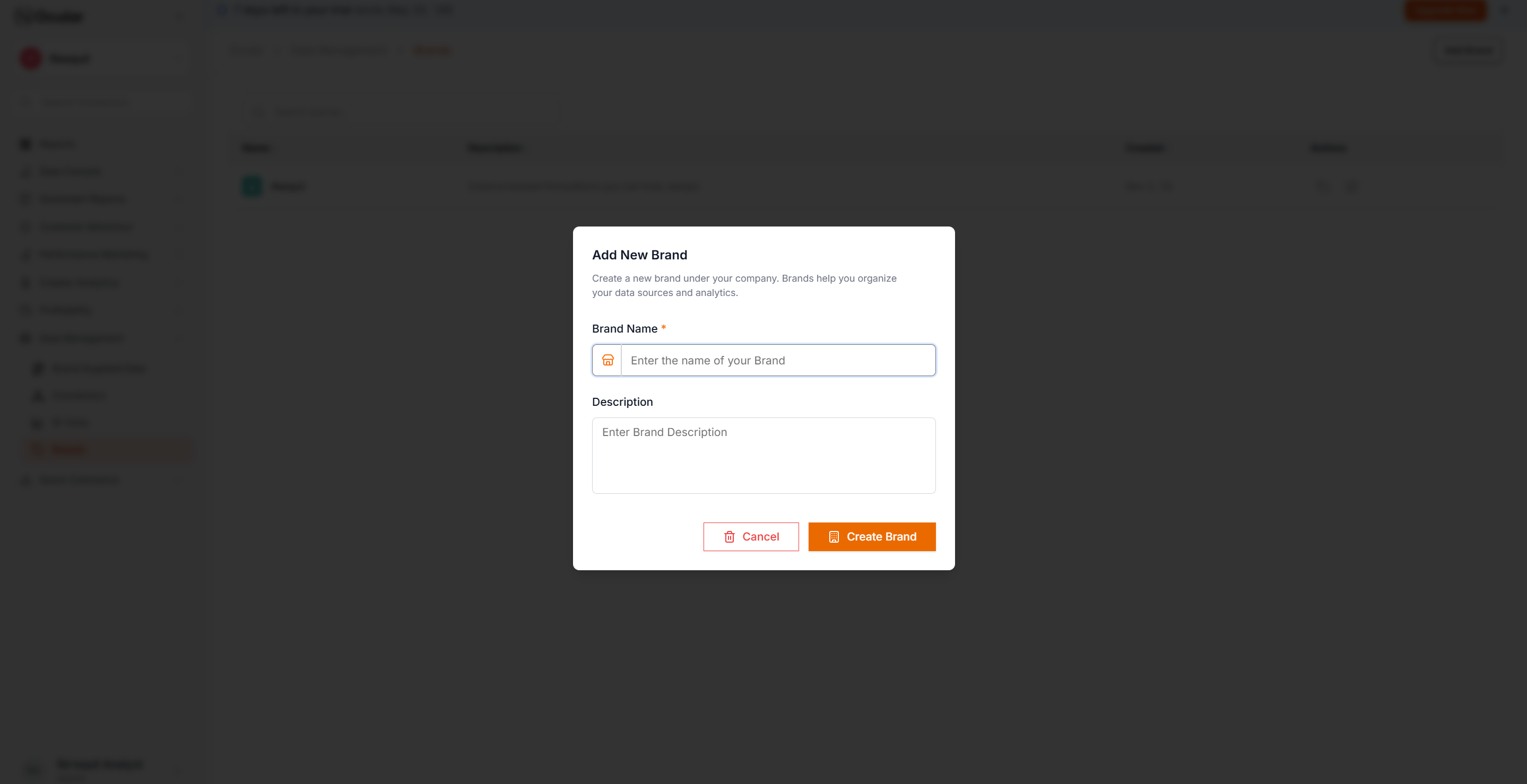
Create a brand
A brand groups your data sources and analytics views. Most companies set up one brand per business line.Where: Settings → Brands → New Brand. Add a name, optional logo, and time zone.
One unified brand
Separate brands per line
Multiple stores / channels under one parent. Use when the same team makes decisions across stores.Trade-off: all users see all stores.
Independent product lines or regional businesses. Use when different P&L owners need walled views.Trade-off: no consolidated metrics out of the box.
Picking the wrong pattern is painful to undo — switching later requires re-ingestion. Decide first.
New Brand form — replace with a real screenshot
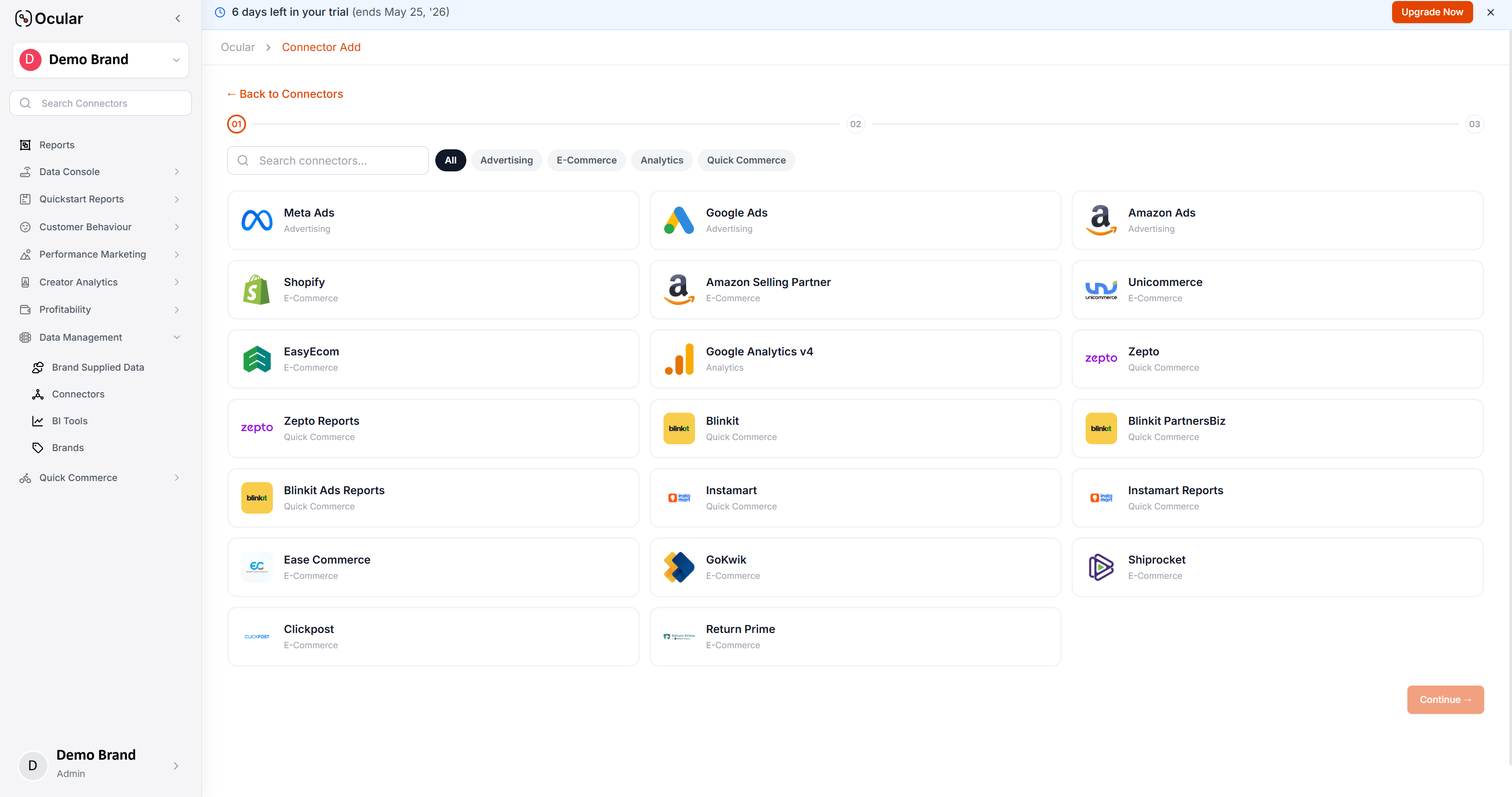
Add data sources
Where: Settings → Data Sources → Add Source. Pick the source, follow the OAuth flow, set a historical start date, wait for “Connected”.Minimum viable set to see real data: Shopify (or any quick-commerce platform you sell on) + Meta Ads + Google Ads + GA4. Once those are green, your first Quickstart Reports populate.For the full sequencing — which sources to add next and what each level unlocks — follow Implementation checklist.
Use one common start date across all sources. If Shopify starts Jan 1 but Meta Ads starts Mar 1, every cross-channel chart between those dates will be wrong. Pick the date your latest-onboarding source can support.
Data Sources status pane — replace with a real screenshot
Per-source setup guides (Shopify, Meta, GA4, Blinkit, etc.) live in Connect Your Data — each has prerequisites worth reading before you start the OAuth flow.
Verify your first views
The first load takes 24–48 hours. During that window, Quickstart Reports show partial data — that’s expected. The Data Sources status pane shows backfill progress per source.Once it completes, sanity-check these three views:
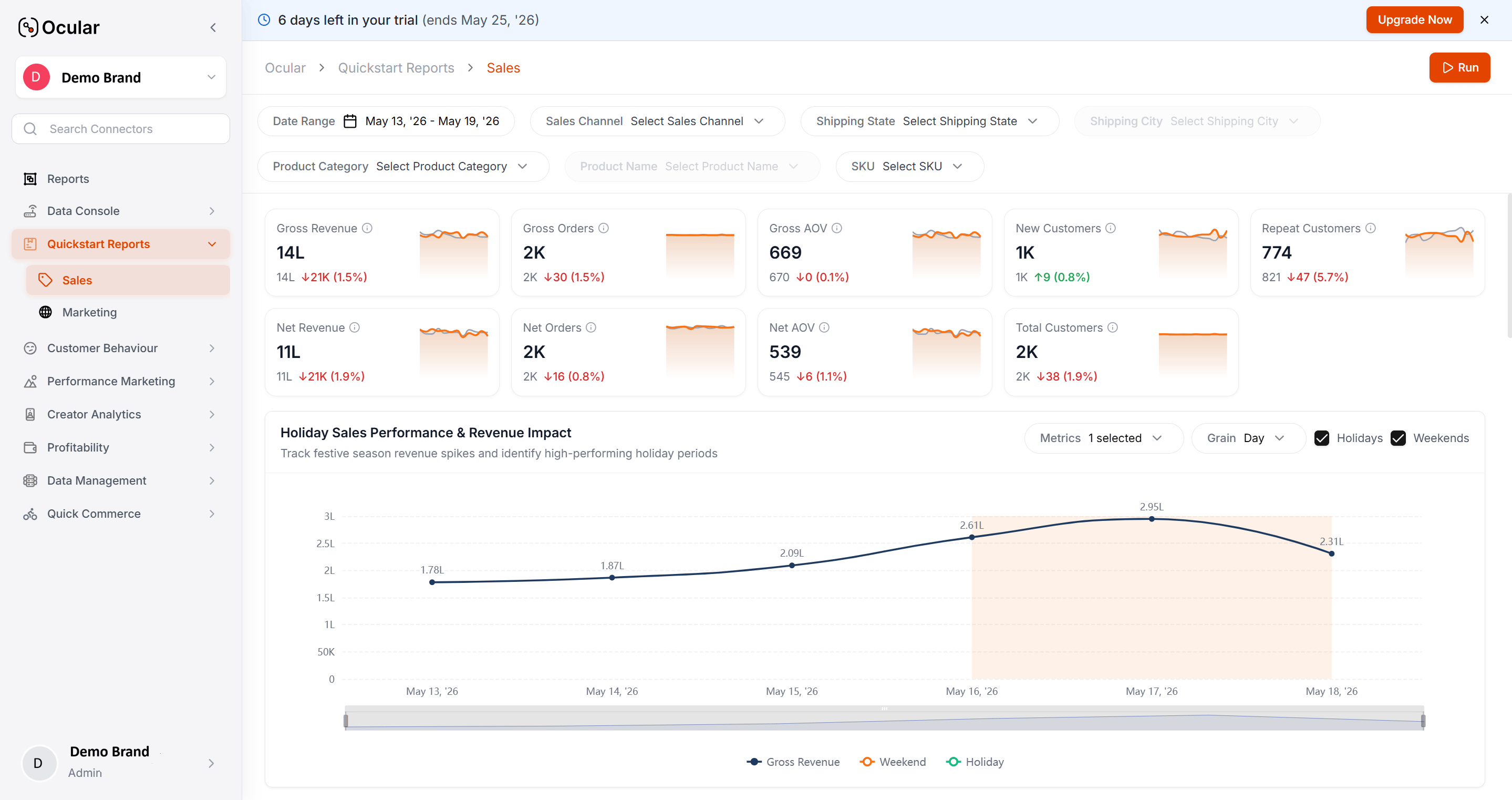
Quickstart Reports - Sales
Revenue reads correctly?
Quickstart Reports - Marketing
Ad spend matches platforms?
If anything looks off, jump to FAQs → Reconciliation for the per-source diagnostic flow.
Quickstart Reports — replace with a real screenshot