> ## Documentation Index
> Fetch the complete documentation index at: https://docs.ocular.dev/llms.txt
> Use this file to discover all available pages before exploring further.
# Setting up your workspace
> A three-step Ocular setup — create your brand, connect data sources, and watch your first dashboards populate after the initial 24–48 hour historical load.
**By the end of this page**, your first Ocular dashboards will be live with your real data flowing in. Three steps, \~20 minutes of configuration, plus a 24–48 hour data load.
Configuration time
Initial data load
Brand → Sources → Verify
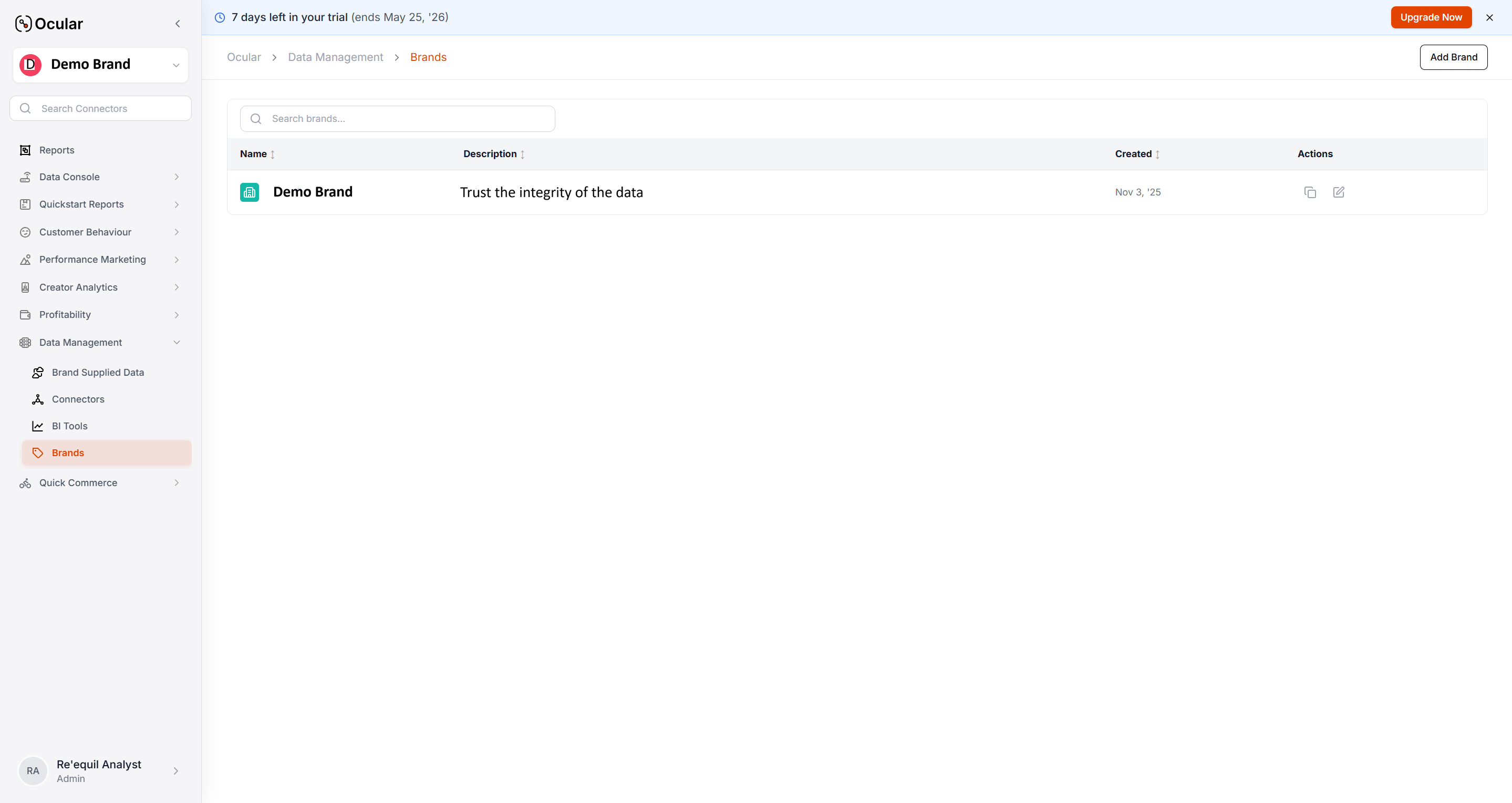 ***
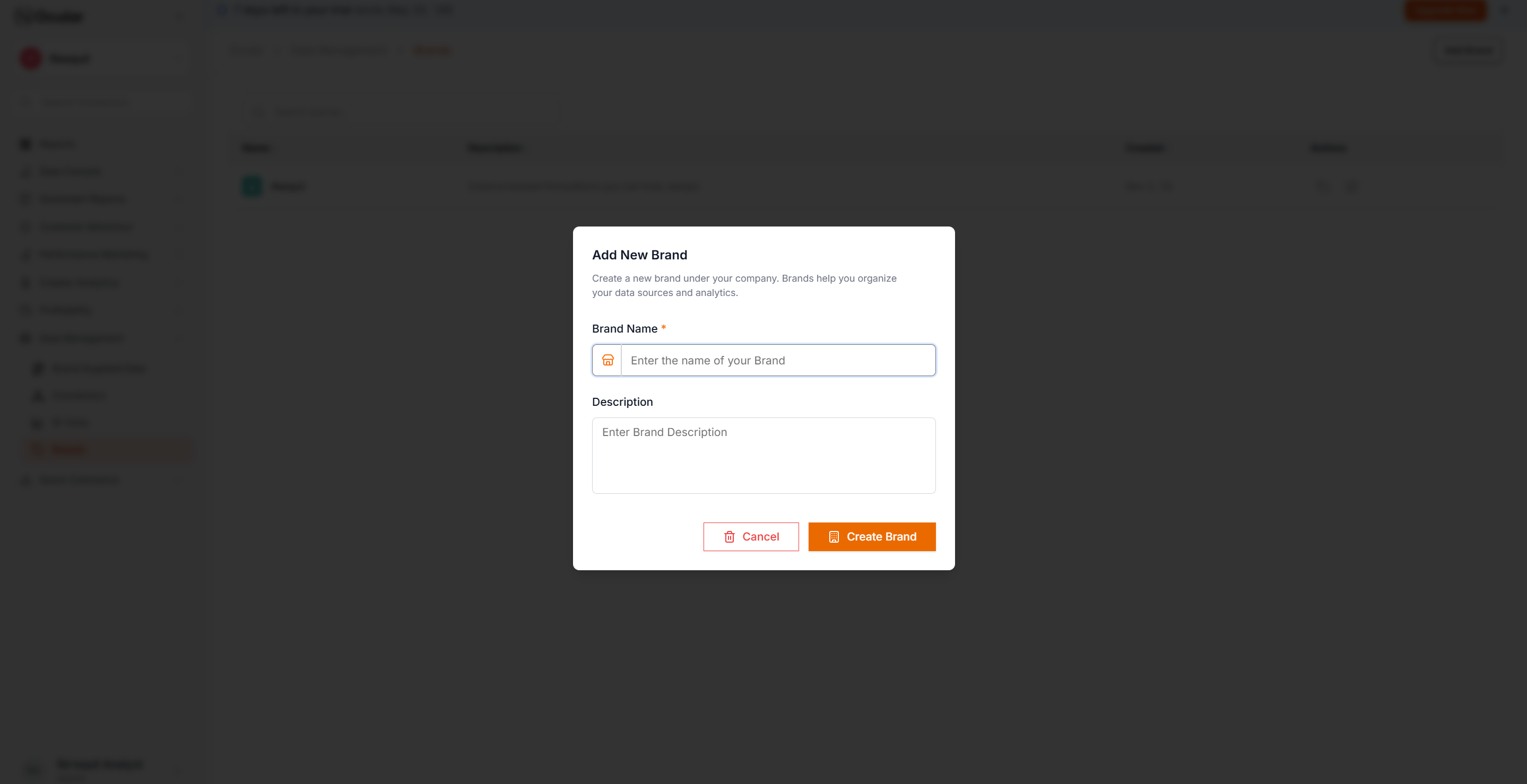
A **brand** groups your data sources and analytics views. Most companies set up one brand per business line.
**Where:** Settings → Brands → New Brand. Add a name, optional logo, and time zone.
Multiple stores / channels under one parent. Use when the same team makes decisions across stores.
**Trade-off:** all users see all stores.
Independent product lines or regional businesses. Use when different P\&L owners need walled views.
**Trade-off:** no consolidated metrics out of the box.
Picking the wrong pattern is painful to undo — switching later requires re-ingestion. Decide first.
***
A **brand** groups your data sources and analytics views. Most companies set up one brand per business line.
**Where:** Settings → Brands → New Brand. Add a name, optional logo, and time zone.
Multiple stores / channels under one parent. Use when the same team makes decisions across stores.
**Trade-off:** all users see all stores.
Independent product lines or regional businesses. Use when different P\&L owners need walled views.
**Trade-off:** no consolidated metrics out of the box.
Picking the wrong pattern is painful to undo — switching later requires re-ingestion. Decide first.
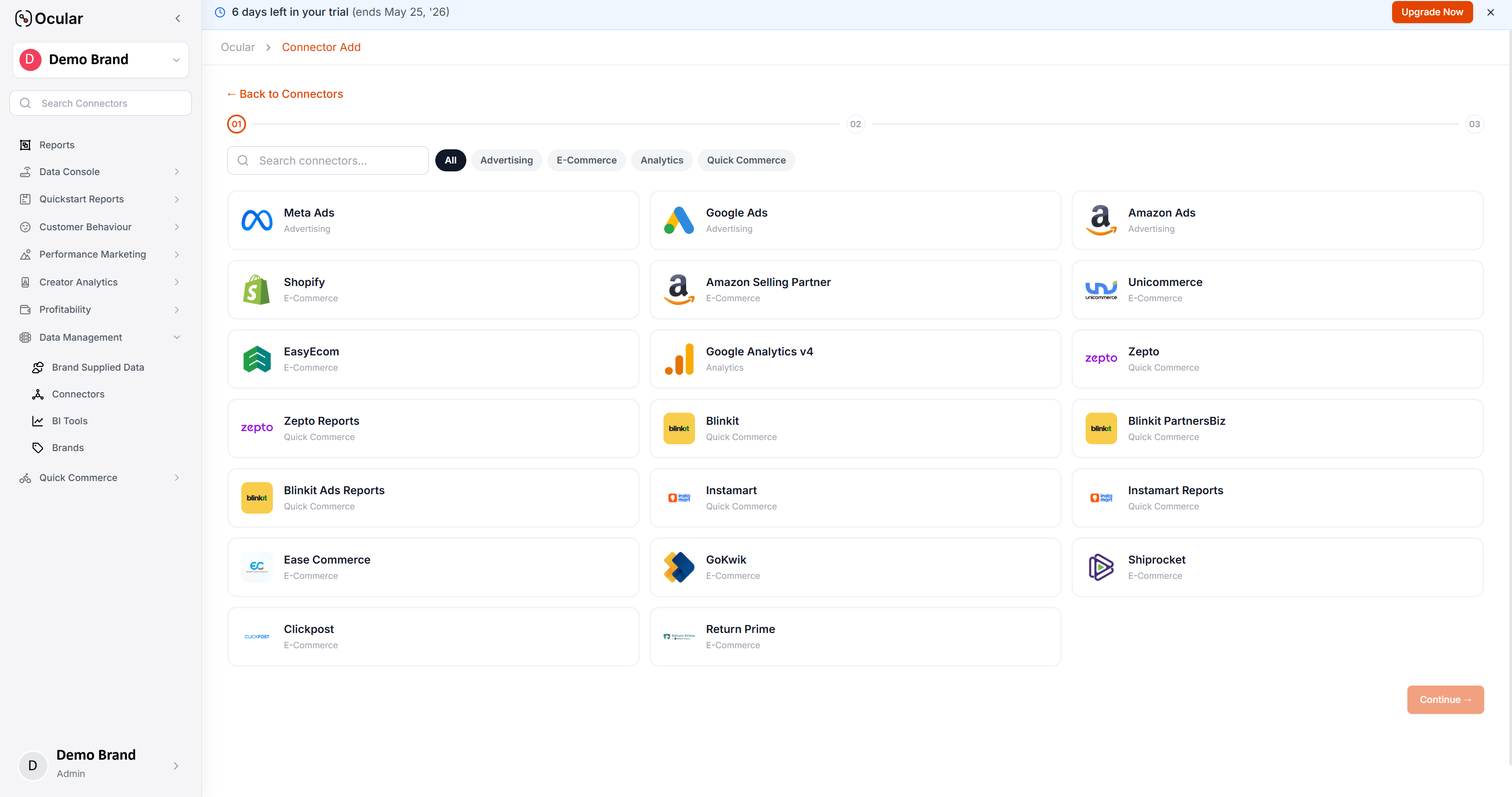
 **Where:** Settings → Data Sources → Add Source. Pick the source, follow the OAuth flow, set a historical start date, wait for "Connected".
**Minimum viable set to see real data:** Shopify (or any quick-commerce platform you sell on) + Meta Ads + Google Ads + GA4. Once those are green, your first Quickstart Reports populate.
For the full sequencing — which sources to add next and what each level unlocks — follow [Implementation checklist](/overview/implementation-checklist).
**Use one common start date across all sources.** If Shopify starts Jan 1 but Meta Ads starts Mar 1, every cross-channel chart between those dates will be wrong. Pick the date your latest-onboarding source can support.
**Where:** Settings → Data Sources → Add Source. Pick the source, follow the OAuth flow, set a historical start date, wait for "Connected".
**Minimum viable set to see real data:** Shopify (or any quick-commerce platform you sell on) + Meta Ads + Google Ads + GA4. Once those are green, your first Quickstart Reports populate.
For the full sequencing — which sources to add next and what each level unlocks — follow [Implementation checklist](/overview/implementation-checklist).
**Use one common start date across all sources.** If Shopify starts Jan 1 but Meta Ads starts Mar 1, every cross-channel chart between those dates will be wrong. Pick the date your latest-onboarding source can support.
 Per-source setup guides (Shopify, Meta, GA4, Blinkit, etc.) live in [Connect Your Data](/connectors/shopify) — each has prerequisites worth reading before you start the OAuth flow.
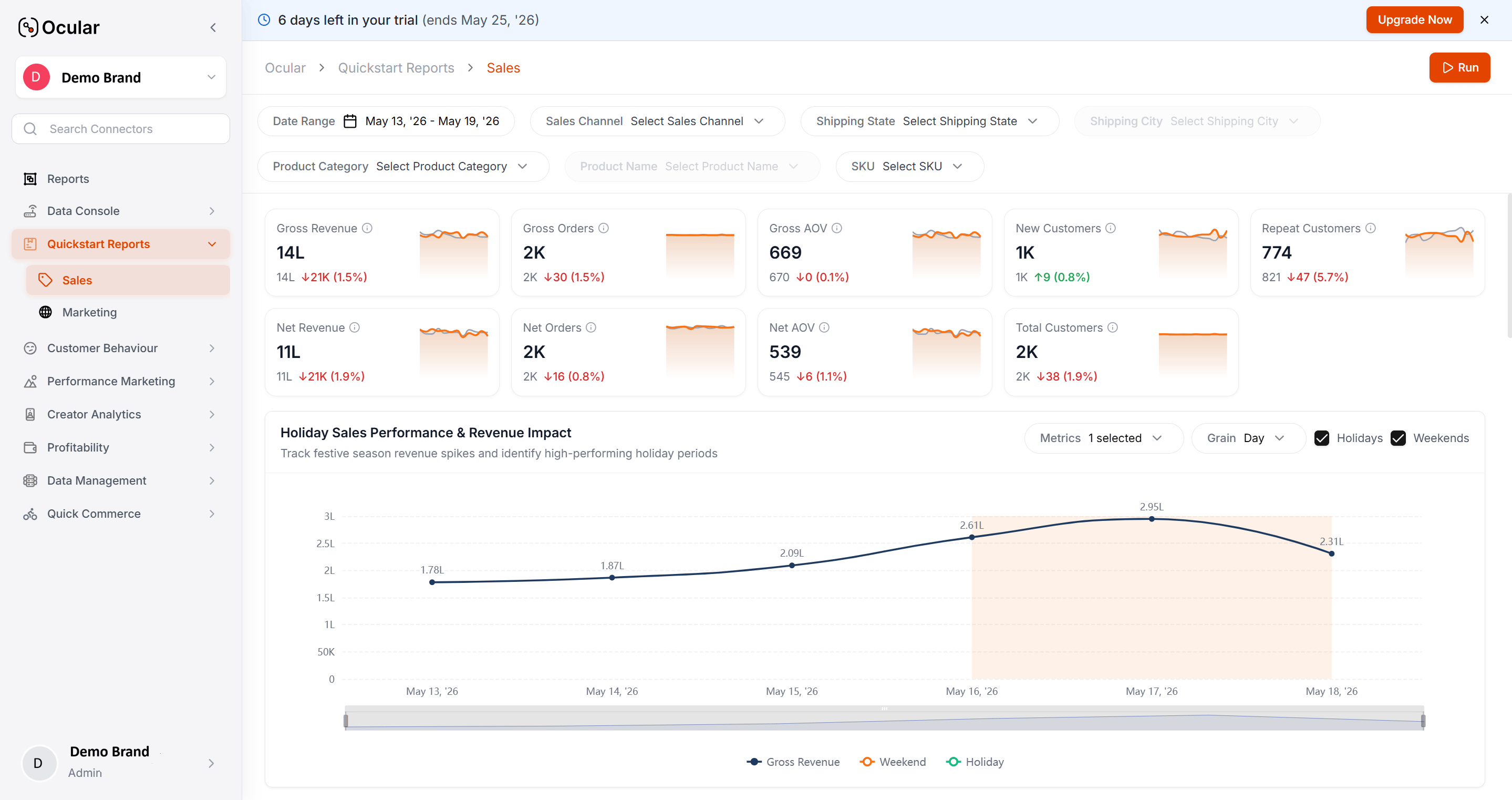
The first load takes **24–48 hours**. During that window, Quickstart Reports show partial data — that's expected. The Data Sources status pane shows backfill progress per source.
**Once it completes, sanity-check these three views:**
Revenue reads correctly?
Ad spend matches platforms?
If anything looks off, jump to **FAQs → Reconciliation** for the per-source diagnostic flow.
Per-source setup guides (Shopify, Meta, GA4, Blinkit, etc.) live in [Connect Your Data](/connectors/shopify) — each has prerequisites worth reading before you start the OAuth flow.
The first load takes **24–48 hours**. During that window, Quickstart Reports show partial data — that's expected. The Data Sources status pane shows backfill progress per source.
**Once it completes, sanity-check these three views:**
Revenue reads correctly?
Ad spend matches platforms?
If anything looks off, jump to **FAQs → Reconciliation** for the per-source diagnostic flow.
 ***
## Do these right the first time
Four things that are painful to fix later.
Switching between unified vs. separate brands later requires re-ingestion. Decide up front.
Six months later, someone will ask why a chart's history starts in March. Keep a record per source.
Don't connect 12 sources in one sitting. Connect one, confirm green status and non-zero records, then move on. Catches misconfiguration early.
UTMs, fbclid, gclid must be configured at the ad-platform level *before* Ocular ingests data. See the **Ad Tracking Setup Guide**.
***
## What's next
Level 1 / 2 / 3 sequencing — what to connect at each level and what unlocks. Especially useful if more than one person is involved in setup.
**Other paths from here:** [Connect Your Data](/connectors/shopify) (per-platform setup) · [Settings & permissions](/overview/settings-and-permissions) (users and roles, once data is flowing) · [Start with the question](/overview/start-with-the-question) (the fastest way to put Ocular to work once dashboards populate).
***
## Do these right the first time
Four things that are painful to fix later.
Switching between unified vs. separate brands later requires re-ingestion. Decide up front.
Six months later, someone will ask why a chart's history starts in March. Keep a record per source.
Don't connect 12 sources in one sitting. Connect one, confirm green status and non-zero records, then move on. Catches misconfiguration early.
UTMs, fbclid, gclid must be configured at the ad-platform level *before* Ocular ingests data. See the **Ad Tracking Setup Guide**.
***
## What's next
Level 1 / 2 / 3 sequencing — what to connect at each level and what unlocks. Especially useful if more than one person is involved in setup.
**Other paths from here:** [Connect Your Data](/connectors/shopify) (per-platform setup) · [Settings & permissions](/overview/settings-and-permissions) (users and roles, once data is flowing) · [Start with the question](/overview/start-with-the-question) (the fastest way to put Ocular to work once dashboards populate).