> ## Documentation Index
> Fetch the complete documentation index at: https://docs.ocular.dev/llms.txt
> Use this file to discover all available pages before exploring further.
# Start here to explore Ocular
> Start here to explore Ocular — the multi-channel commerce analytics platform for D2C brands, marketplaces, and quick-commerce operators.
Your starting point for Ocular documentation. Organized around how teams actually work — get set up, connect your sources, understand the definitions behind the numbers, and use dashboards and reports with confidence.
 ***
## Start here
Quick orientation — what Ocular does, who it's for, and how it differs from generic BI.
The three-step setup: create a brand, connect sources, see your first dashboards populate.
Level 1 / 2 / 3 data readiness — what to connect at each level and what unlocks.
Support channels, response times, and how to file a ticket that gets resolved fast.
***
## Choose your path
Pick the role that's closest to yours — each path is a curated reading order through the docs.
Founders, CXOs, heads of ecommerce. P\&L, channel profitability, inventory, pricing.
Performance marketers, growth leads, creative teams. Spend allocation, attribution, creatives.
Analysts and data teams. Table schemas, naming conventions, Chart Builder.
***
## Get answers fast
When you open Ocular with a specific question in mind, jump straight to the right module.
Real triggers mapped to the right module — margin looks wrong, ROAS doesn't match Shopify, creatives feel stale.
What sets Ocular apart for multi-channel commerce and why it works in South Asian markets.
***
## Core sections
Supported integrations, setup guides, and what to do when an integration isn't available yet.
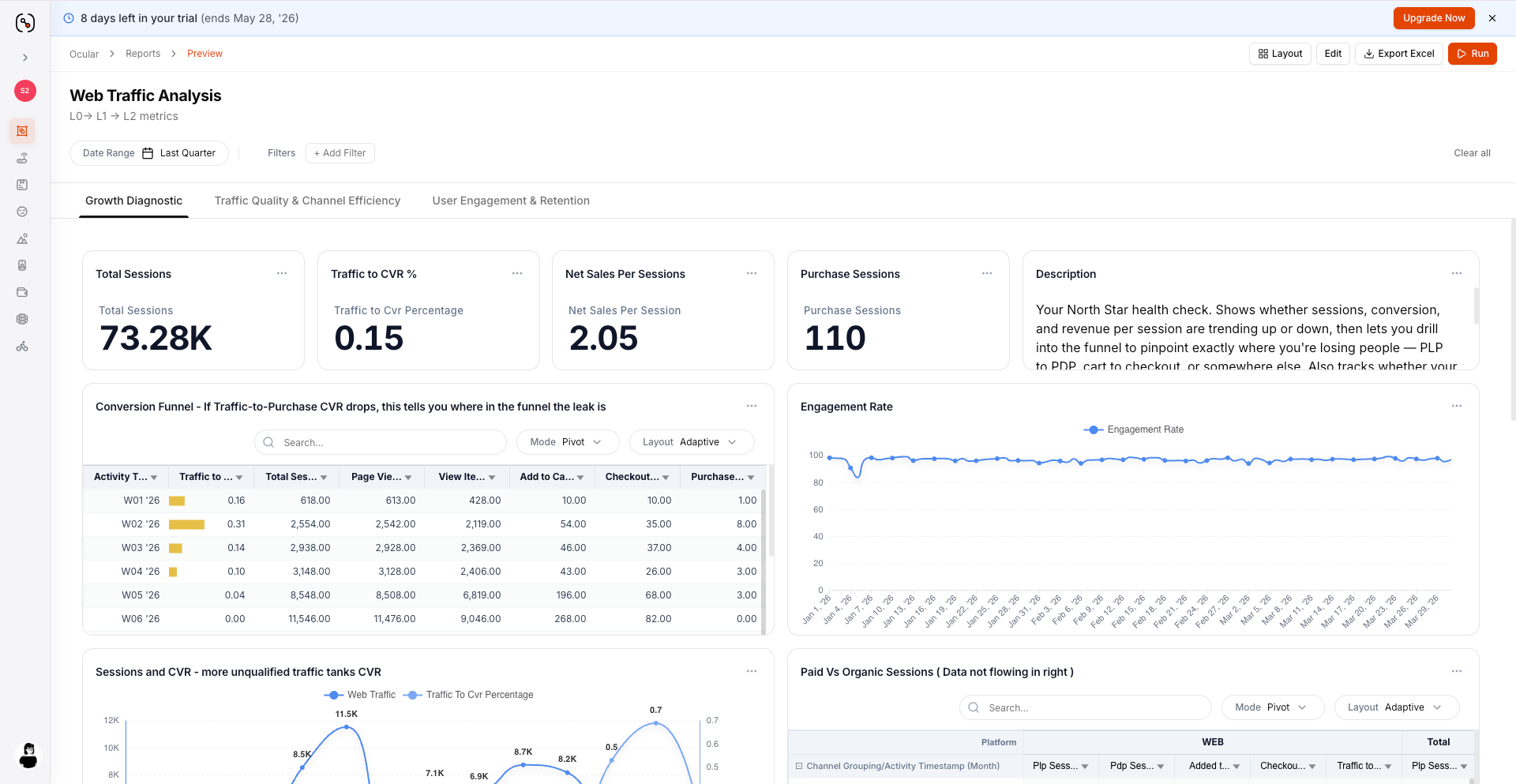
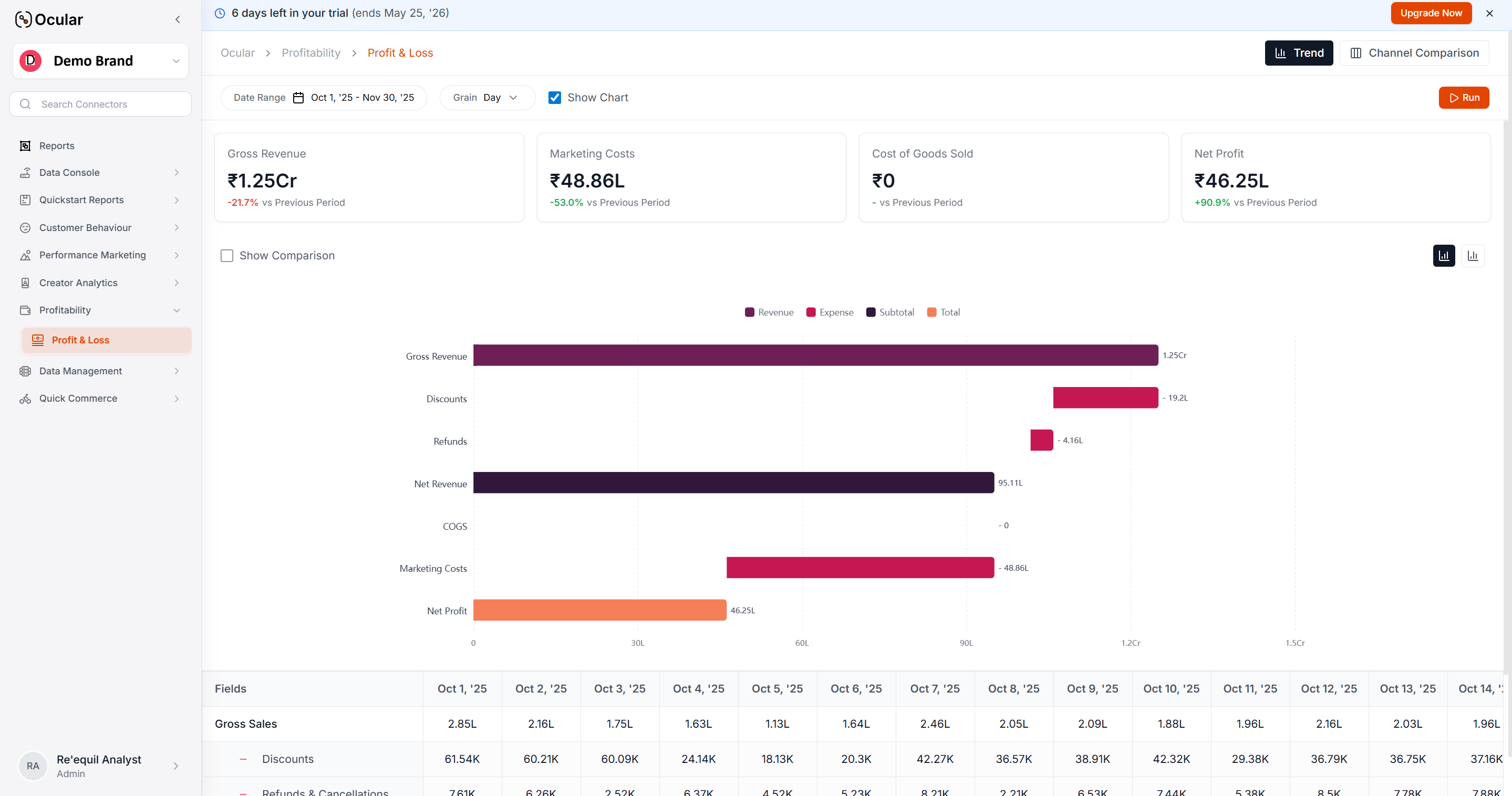
Dashboards and reports — P\&L, Sales Performance, Marketing, Creative Deep Dive, Cohorts.
Canonical metrics, dimensions, table schemas, and naming conventions.
UTM setup, attribution philosophy, and how Ocular picks the winning source.
***
## Start here
Quick orientation — what Ocular does, who it's for, and how it differs from generic BI.
The three-step setup: create a brand, connect sources, see your first dashboards populate.
Level 1 / 2 / 3 data readiness — what to connect at each level and what unlocks.
Support channels, response times, and how to file a ticket that gets resolved fast.
***
## Choose your path
Pick the role that's closest to yours — each path is a curated reading order through the docs.
Founders, CXOs, heads of ecommerce. P\&L, channel profitability, inventory, pricing.
Performance marketers, growth leads, creative teams. Spend allocation, attribution, creatives.
Analysts and data teams. Table schemas, naming conventions, Chart Builder.
***
## Get answers fast
When you open Ocular with a specific question in mind, jump straight to the right module.
Real triggers mapped to the right module — margin looks wrong, ROAS doesn't match Shopify, creatives feel stale.
What sets Ocular apart for multi-channel commerce and why it works in South Asian markets.
***
## Core sections
Supported integrations, setup guides, and what to do when an integration isn't available yet.
Dashboards and reports — P\&L, Sales Performance, Marketing, Creative Deep Dive, Cohorts.
Canonical metrics, dimensions, table schemas, and naming conventions.
UTM setup, attribution philosophy, and how Ocular picks the winning source.
 ***
## Admin & access
Users, groups, and roles — everything you need to administer Ocular for a team.
Slack channels, email, and the request patterns that get resolved fastest.
***
## Help & support
Common questions across dashboards, data freshness, reconciliation, and account management.
Reach us via Slack or [support@ocular.dev](mailto:support@ocular.dev).
**New to Ocular?** Start with [What is Ocular](/overview/what-is-ocular) for a five-minute orientation, then jump to [Setting up your workspace](/overview/setting-up-your-workspace) when you're ready to implement.
***
## Admin & access
Users, groups, and roles — everything you need to administer Ocular for a team.
Slack channels, email, and the request patterns that get resolved fastest.
***
## Help & support
Common questions across dashboards, data freshness, reconciliation, and account management.
Reach us via Slack or [support@ocular.dev](mailto:support@ocular.dev).
**New to Ocular?** Start with [What is Ocular](/overview/what-is-ocular) for a five-minute orientation, then jump to [Setting up your workspace](/overview/setting-up-your-workspace) when you're ready to implement.